The Homepage Settings panel allows you to choose what your site’s front page displays like your latest posts or a custom static page.
Before getting started with Purenote customization it is important to set up a static home page and then configure home page settings. So, learn how to setup static Homepage in WordPress
After setting up Static Homepage,
- Go to Appearance → Customize → Homepage Settings to access the panel.
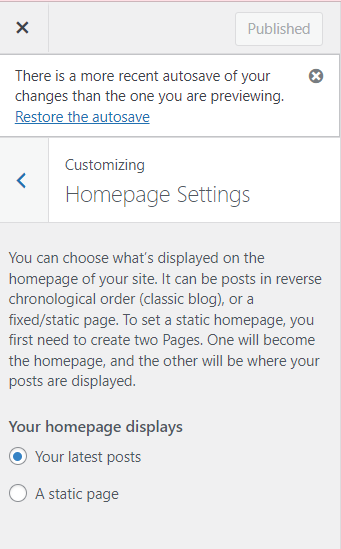
- Then choose between Your latest Post or A static page radio options.
- If you have set a static page for your homepage display, you have to select a previously created page for the homepage and a separate page for the post page.
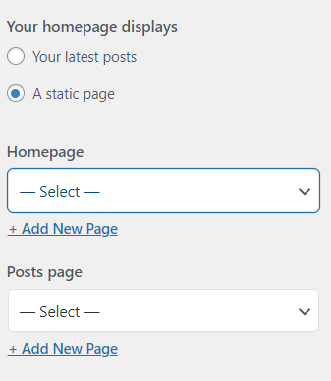
- Click Publish to save your settings.