The Main Area of the footer can be used to display the widgets. Where you can choose the widget area layout.
To do so,
- In WordPress Dashboard, navigate to Appearance → Customize
- Go to Footer Settings → Main Area.
- Turn on the Enable footer main area option to display Widget Area, and choose the Widget Area Layout from the available layout options.
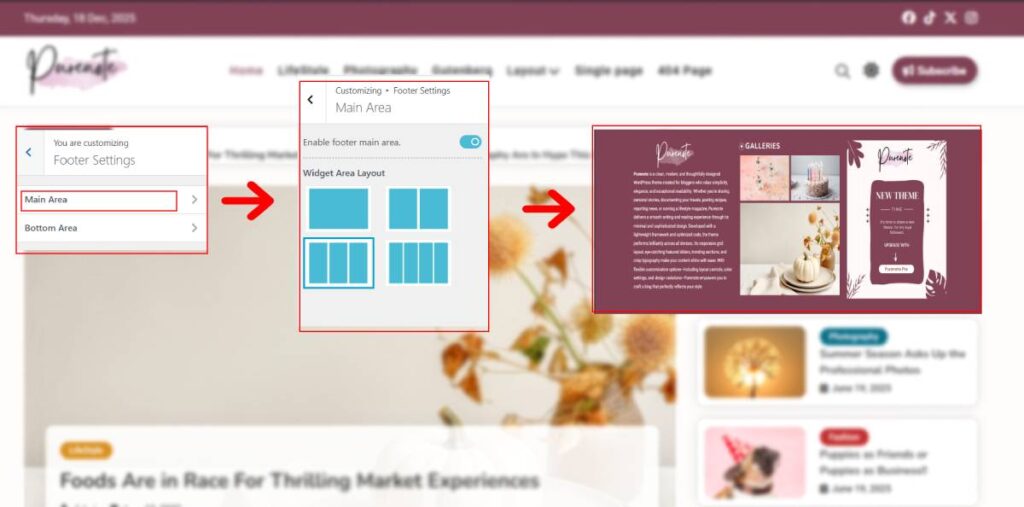
Design your Main Footer Area with Purenote
Purenote Pro enables you to enhance your Main Footer Area with image or color as per your preference
- Go to Design tab in your Main Footer Area settings
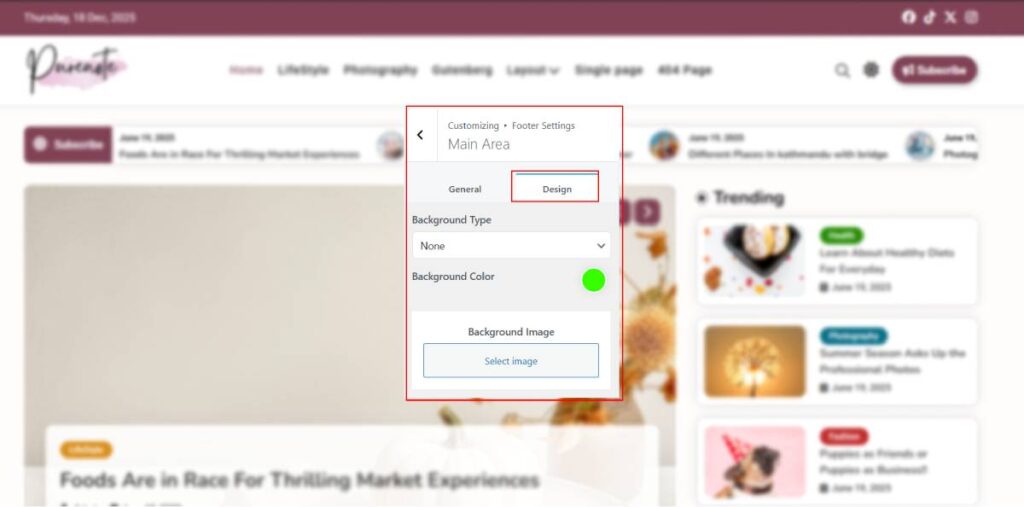
- Choose your Background Type from the drop-down menu
- If you’ve chosen Images as your Background Type, then choose appropriate image from Media Library or upload it from the computer
- And if you’ve chosen color, select one you prefer
- Click on ‘Publish‘ button to save your changes.