Purenote also enables you design the background of your Main Banner including adding images, choosing colors or type of background that you want to display.
In order to do that:
- Go to your WordPress Dashboard and look for Appearance → Customize → FrontPage Settings
- Go to Main Banner settings then go to Design tab
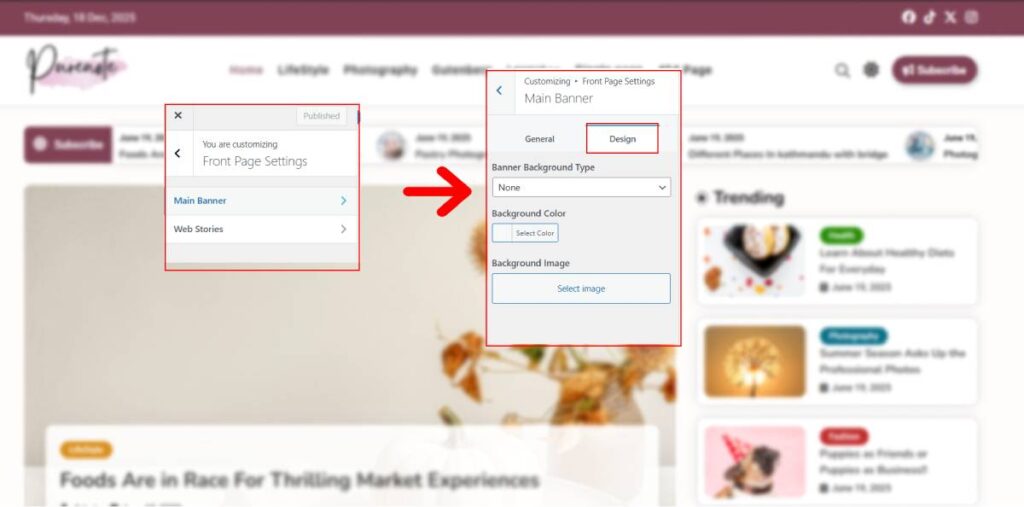
- There you have Banner Background Type. Here you can choose the type of background that you’d like for your Frontpage. Options include ‘None’, ‘Color’, and ‘Image‘. (Each selection will prompt in different options).
- If you want Colors for your Main Banner Background, choose the Color option, then select the color from the prompted palette.
- And if you want Image, then choose it and then either Upload or select one image from the Media Library for your Main Banner
- After you are done with your changes, save then by clicking on the ‘Publish‘ button.