You can also customize designs for your posts including layout options, related contents, and author box easily with Purenote.
- Go to your WordPress Dashboard and look for Appearance → Customize → Innerpage Settings
- Look for Single Posts option in the given section, where you can customize your single posts designs.
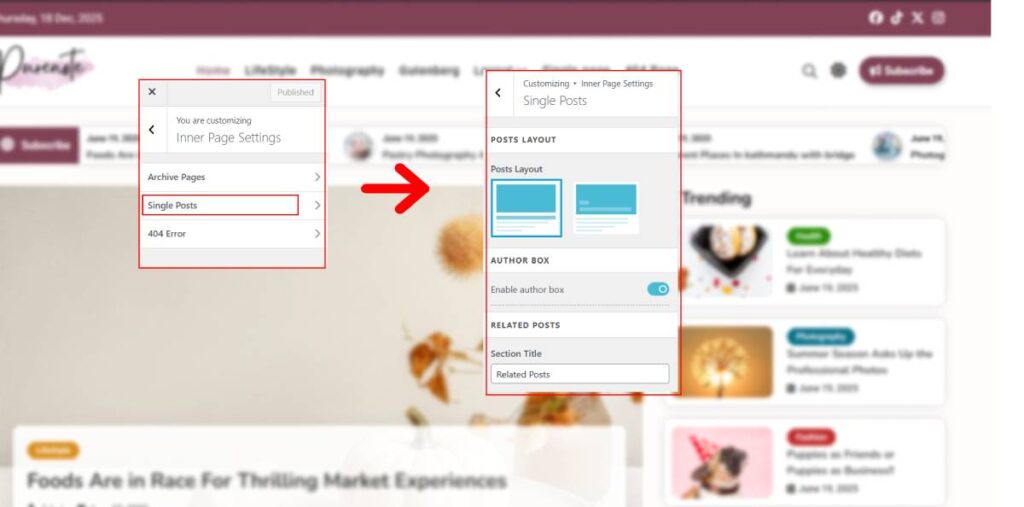
- Choose one of the given layout options as shown in the image above.
- Toggle on ‘Enable author box‘ option if you want to add it in your single post.
- Add proper title for your Related Post section in the text below.
Customization with Purenote
Purenote Pro offers detailed customization availability for your Single Post.
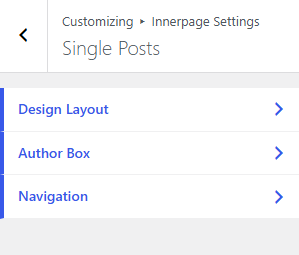
The customization is divided into three different sections: Design Layout, Author Box and Navigation
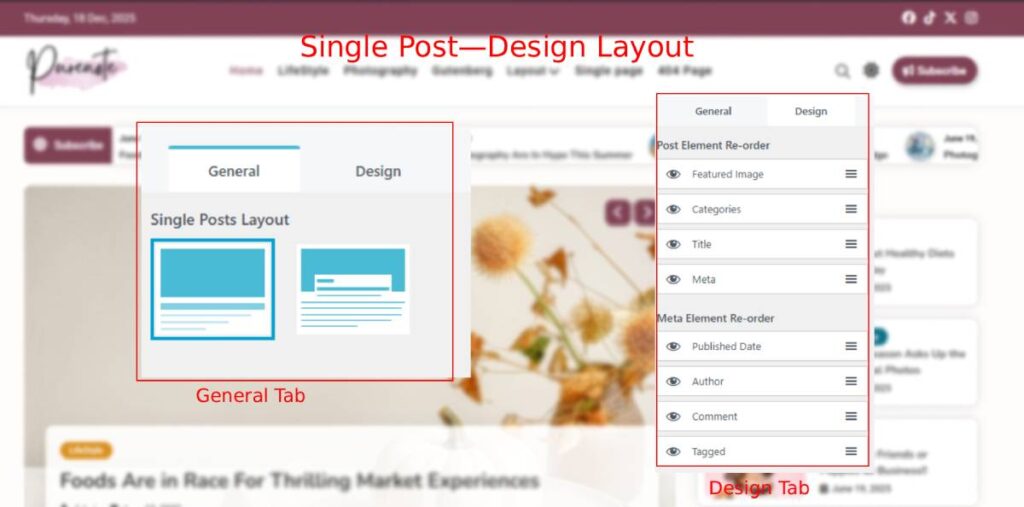
- Design Layout allows you to chose Single Post Layouts and re-order various elements as per your preference
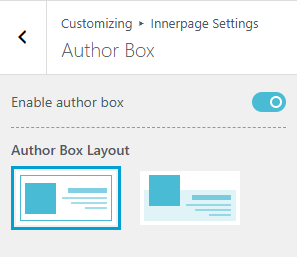
- Author Box enables you to display author of posts. In Purenote Pro, you’ll have two layout options for Author Box
- Navigation allows you to navigate through various posts in your website.
- ‘Navigate Within’ enables you to choose from either Category or Tags that post will navigate
- You can also custom label the navigation buttons for both Previous and Next Label
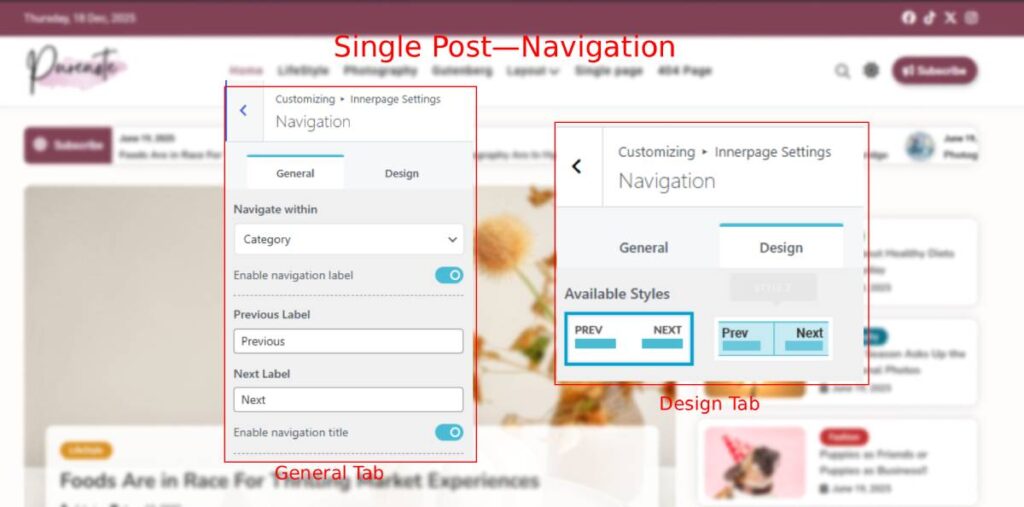
- Enable or Disable your Navigation Title as per your preferences.