Middle Content is the content that lies below Main Banner of the Frontpage section. The section includes two section in the free version of News Express for you to customize:
- News Featured
- News Middle Grid
To customize your Middle Content:
- Go to WordPress Dashboard, then to Appearance → Customize → Frontpage Settings
- Look for Middle Content option in the customizer, where you’ll see two blocks named ‘News Featured’ and ‘News Middle Grid’
- Click on the ⚙️ ‘gear’ icon to customize the particular
- Make sure that you have kept the block visible, if not click on ‘eye’ icon to make it visible.
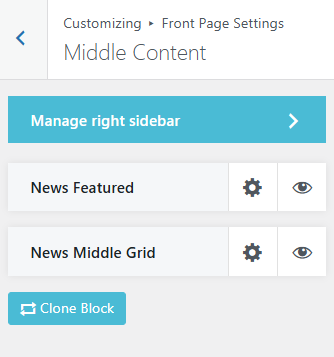
Customization option for both section are similar. Let’s go through each of them:
- Block Title: Title for your block
- Block Description: Description to provide for your block
- ‘See More’ button Text: Choose a button text for the
- Block Link: Provide link to the block to where you want your users be directed by clicking that link.
- Block Query: Block Query allows you to choose categories for that block along with customizing its order, date filters and how many number of posts you want to show.
- Block Layouts: Choose a appropriate layout from given options for your block
You can also enable or disable the option to show categories links, post authors and date by toggling on or off the option below Layouts section.
- You can also clone the block if you want more in your frontpage.