The Main Area Header is a header section in the News Express theme where you can place vital navigational menus along with a Site Mode Switcher, Search Icon, Sticky Sidebar Enabler, and a Custom Button.
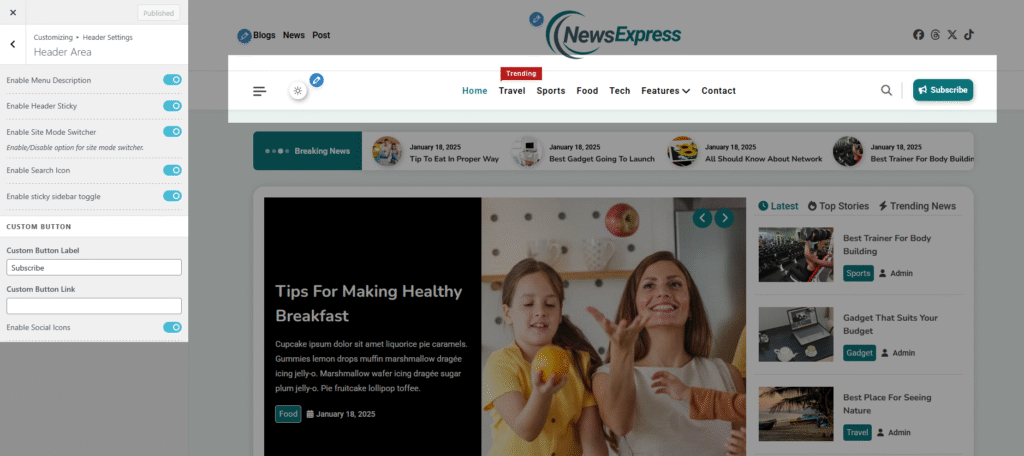
In order to access Main Area Header settings,
- Open your WordPress dashboard and navigate to Appearance > Customizer.
- Navigate to Header Settings >> Main Area Header
- Enable Header Sticky: Toggling on this option will lock the Main Area Header at the top of the page even when you scroll the page to some depth.
- Enable Site Mode Switcher: Toggling on this option will enable a Mode Switcher toggle icon in the Main Area Header, enabling users to switch modes on the site.
- Enable Search Icon: Toggling on this option will enable a search icon in the Main Area Header.
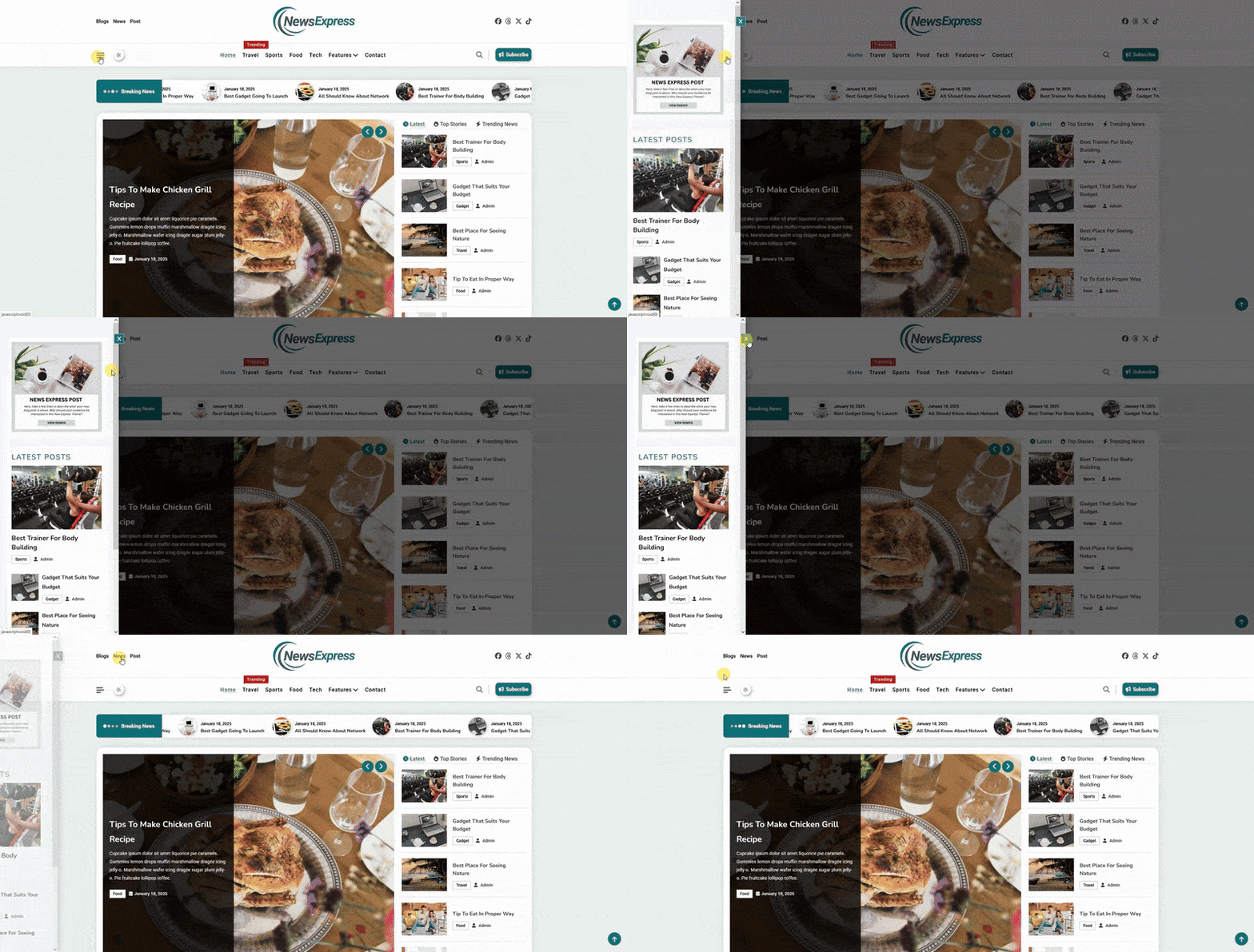
- Enable Sticky Sidebar Toggle: You can toggle on this option if you want to display the Sticky Sidebar Enabler, which is a
 hamburger icon. Users can click on this hamburger icon to view the sticky sidebar.
- There’s also a CUSTOM BUTTON section, where you can make necessary amendments for a custom button by adding a custom button label and a custom button link.