The main banner section in News Express is divided into three subsections: SLIDER, TAB and BLOCK.
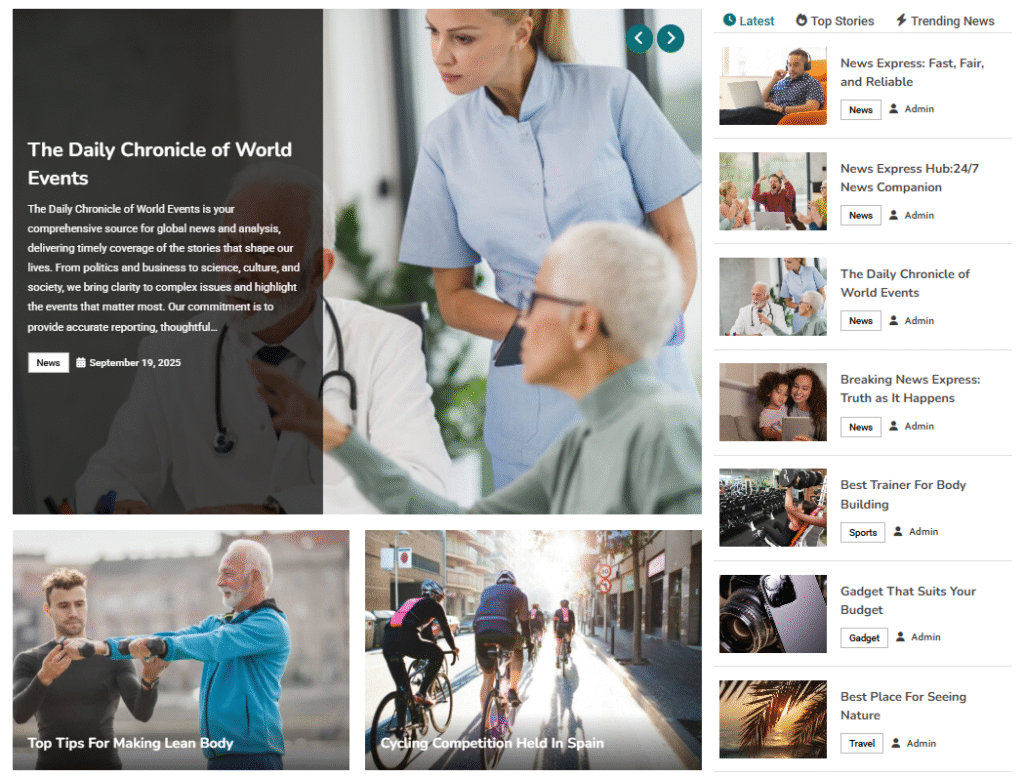
To configure your Main Banner layout,
- Open your theme customizer settings by navigating to Appearance >> Customize.
- Navigate to FrontPage >> Main Banner.
- Under General Tab, you have three different sections that you can customize your main banner fro/.
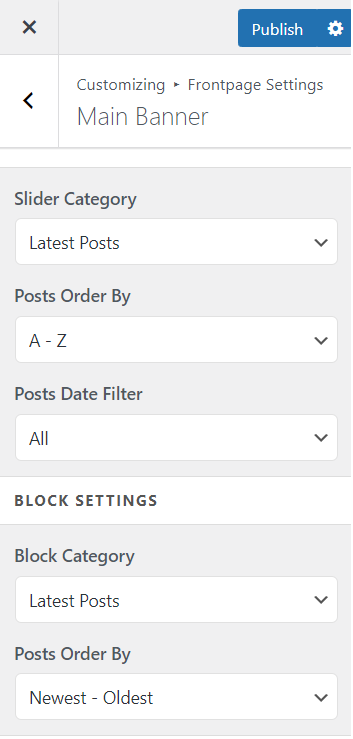
To configure SLIDER or BLOCK SETTINGS,
- Navigate to FrontPage >> Main Banner option.
- Under the General Tab, scroll down to the respective SLIDER or BLOCK SETTINGS panel to configure your settings.
- First of all enable Banner Block and Banner Slider based on your preferences by toggling on or off the option.
- For the slider and block settings, you are equipped with 3 DROP DOWN MENUS: Slider/Block Category, Posts Order by and Posts Date Filter.
- First under the Slider/Block Category, you can select one of the categories, for which you want to display the post in the respective Slider or Block sections.
Note: You can only select categories you have created before. If you are muddled about creating or deleting wordpress categories, here’s an instant guide.
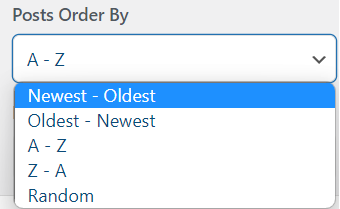
- You can also choose the order for the posts displayed from the dropdown menu.
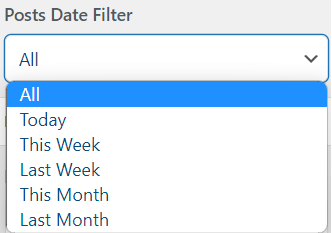
- You can similarly employ Posts/Block Date filter to filter posts based on their published date.
For TAB Section:
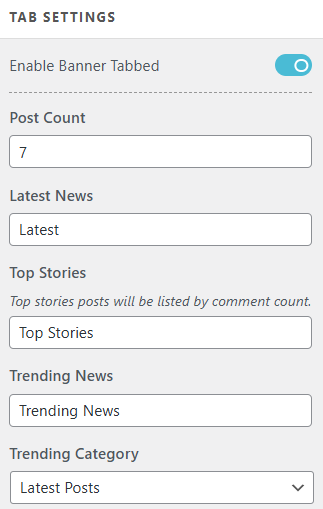
- Make sure that your Banner Tabbed is enabled.
- Choose your post count to shows number of post you desire on that section.
- Provide your custom names to the three sub sections of tab → Latest News, Top Stories and Trending News
- Choose your categories from the drop-down section to show the posts.
- After you have made necessary changes to Main Banner settings, don’t forget to click on
 button at the top to save your changes.