Before you configure News Featured Settings, let’s learn how to access the News Featured Settings of Top Full Width Section. In order to access News Featured Settings,
- First open your WordPress dashboard, navigate to Appearance → Customizer to open your theme customizer
- Then, navigate to FrontPage Settings → Middle Content.
In order to configure News Featured settings,
- Click on the flywheel icon next to the News Featured panel
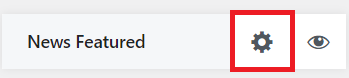 to expand settings for News Featured.
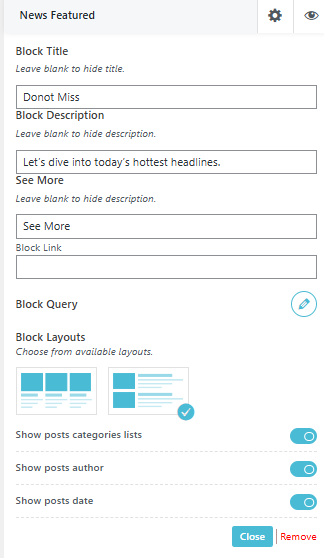
- After you have expanded News Featured panel, you can then name your News Featured under Block Title and give it a description just below it in Block Description.
- Choose a button text for the ‘See More’ button and add a link to it.
- Block Query allows you to choose categories for that block along with customizing its order, date filters and how many number of posts you want to show.
- News Express theme provides you with 2 Block layouts as shown in the image.
- Block Layouts: Choose a appropriate layout from given options for your block
- Toggle on or off ‘Post Categories Lists’, ‘Post Author’, and ‘Post Date’ option as per your preferences.
- Don’t forget to click on
 button to save and publish the changes.