Post settings encapsulate all the necessary settings for a post. Their customizations are very important for the content, information, and navigational point of view.
Video Guidance
To customize your Post’s settings:
- Go to your WordPress Dashboard, then to Appearance → Customize to access the customizer of your News Express premium version.
- Navigate to General Settings → Posts to access options for Posts
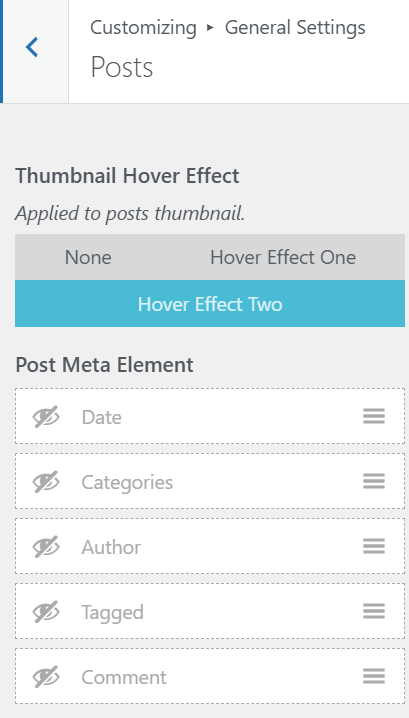
There are two sections that you have to concern yourself with, Thumbnail Hover Effect and Meta Elements of your Posts
Thumbnail Hover Effect
It is effect that triggers when your user hovers around your post’s thumbnail. There are three options for you to remember:
- None: No Hovering effects will be applied
- Hover Effect One: Zooming of Thumbnail
- Hover Effect Two: Sliding light from left to right
Post’s Meta Elements
Meta Elements provides various information about your posts. In this section you can hide or show element you wish to showcase on your posts which includes essential elements like Dates, Comments, and Authors.
- Just click on the ‘eye‘ icon’ to toggle on or off the elements for your posts
- Click on the Publish button to publicize your changes