Preloaders are buffering animations that appear when your site is loading pages, posts, or some other resources. Preloader customizations are pretty easy; you just have to do two or three simple clicks, and you’re done.
To do so,
- Go to your WordPress dashboard and then Appearance > Customize.
- After you’re directed to customizer, go to General Settings, then Preloader
- First of all, enable preloaders for your site, If somehow it have been disabled, click on Enable Preloaders toggle option at the top of the panel
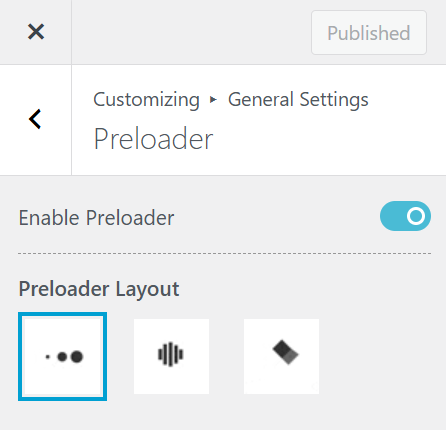
- Free version of News Express enables you to choose from three different preloaders options as shown in the image above. Choose one you like from the given options
- Click on
 button to save your changes afterwards.